
Amazon Prime Day is a sale for Amazon Prime members. You can place an eligible Amazon US order using your personal UNDbox address in the United States or ask UNDbox to buy the item for you. Before paying, check the membership requirement, the actual discount, the seller and the full purchase cost.
What is Amazon Prime Day?
Amazon Prime Day is a shopping event for customers with an active Amazon Prime membership. Amazon and third-party sellers add Prime-only prices to selected products. The discount, seller, delivery terms and return policy can differ from one offer to another.
A free Amazon account lets you browse and buy regular products. Amazon Prime is a paid membership that gives eligible accounts access to Prime deals, free US delivery on qualifying products and other Amazon benefits.
Prime Day and Prime Big Deal Days are separate sale events, but they work in a similar way. A Prime badge does not mean every offer is the lowest available price. Check the exact model, price history and seller before placing the order.
When is the next Amazon Prime Day?
Amazon does not use one permanent date. For the next Amazon Prime Day dates and the answer to when does Amazon Prime Day start, check the official event page. Amazon normally publishes the schedule in US Pacific Time.
How long is Amazon Prime Day? The duration can change from one event to another. Some offers run for the full sale, while limited-quantity and Lightning Deals may end earlier. The official page also answers when does Amazon Prime Day end and is Amazon Prime Day over.
Amazon Prime Big Deal Days is a separate Prime-member sale. Amazon announces it independently, so do not use an older Prime Day article to plan for that event.
What can you buy during Amazon Prime Day?
Amazon devices, third-party electronics, clothing, footwear, home products and personal-care items often appear among Amazon Prime Day deals. The examples below show the types of offers published during a previous sale. Prices and availability change, so open the product page before deciding whether the current offer is worthwhile.
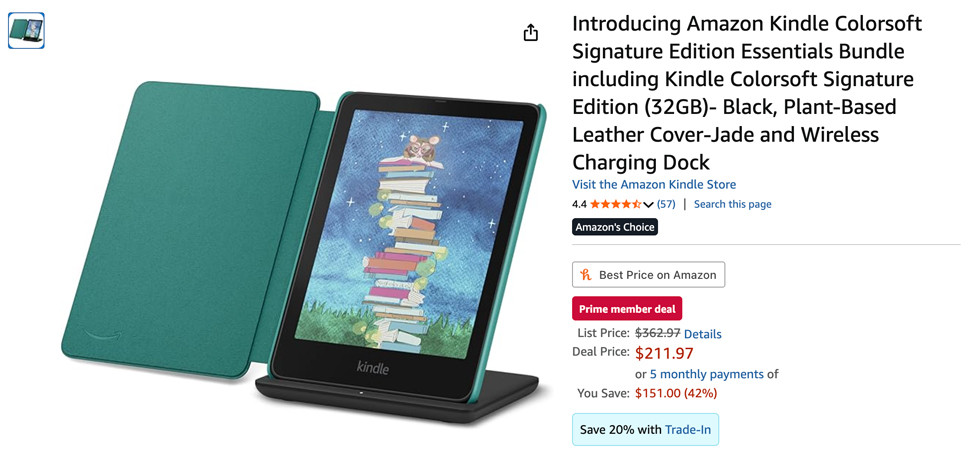
Amazon's own products are usually prominent during the event. Kindle e-readers are one common example, including the Amazon Kindle Colorsoft Signature Edition.
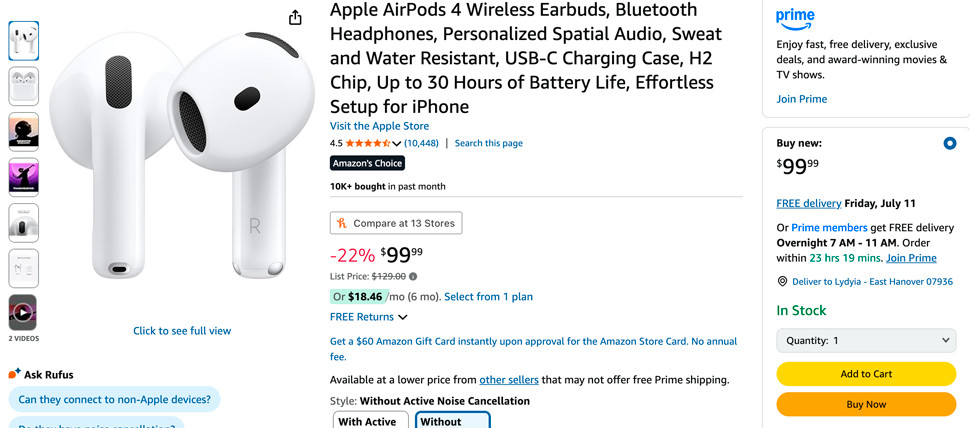
Third-party electronics may include laptops, tablets, smartphones, headphones, smartwatches and small appliances. Products such as the Apple iPad 11-inch and Apple AirPods 4 have appeared in Prime Day promotions.
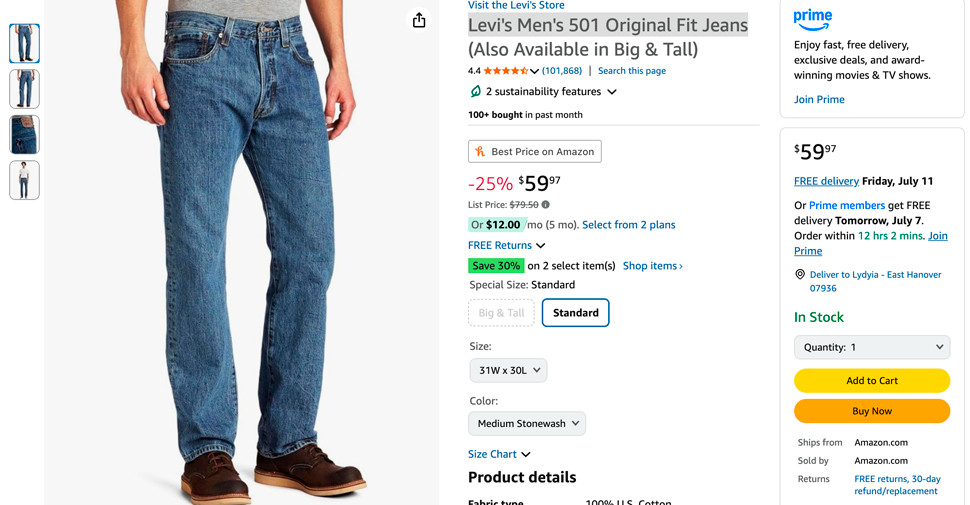
Clothing and footwear are useful categories when the correct size and return terms are clear. Check the brand's US size chart instead of relying on the size you normally buy. The Levi's Men's 501 Original Fit Jeans are one example of a product featured in an earlier sale.
Supplements, Crest whitening strips, pet products, Garmin watches and school supplies may also be included. Before buying cosmetics, supplements, products with batteries or pressurized containers, check whether UNDbox can accept the item.
Do you need an Amazon Prime membership?
Can you get Prime Day deals without Prime?
Prime-exclusive prices require an active membership. Regular Amazon discounts and seller coupons may still be available through a free Amazon account. Check the wording beside the price before subscribing.
How much does Amazon Prime cost?
A standard US Amazon Prime membership costs $14.99 per month or $139 per year at the time of review. Amazon can change its plans, so confirm the amount on the Amazon Prime membership page before signing up.
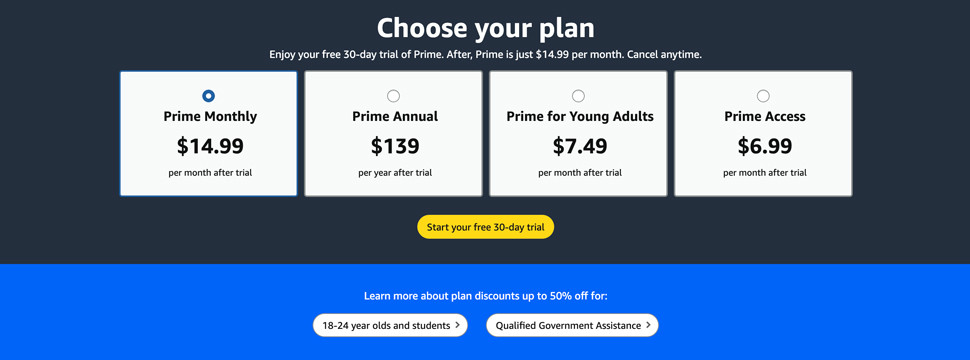
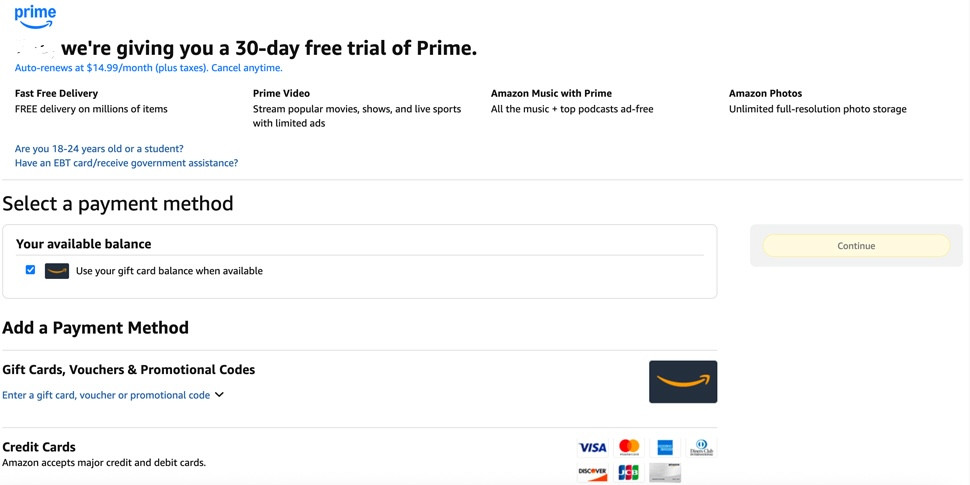
An Amazon Prime 30-day free trial is available only to eligible accounts. If Amazon does not show the trial option after you sign in, that account cannot claim it. The membership renews automatically unless you cancel it before the first paid billing period.
- Open the Amazon Prime page and sign in.
- Select Try Prime or Start your Prime membership if the option is available.
- Choose the monthly or annual plan.
- Add a payment method and check when the first charge will be made.
- Confirm the membership.
How to cancel Amazon Prime
- Sign in to Amazon.
- Open Prime Membership.
- Select Manage Membership.
- Select End Membership and follow the confirmation steps.
- Check the date on which Prime access will end.
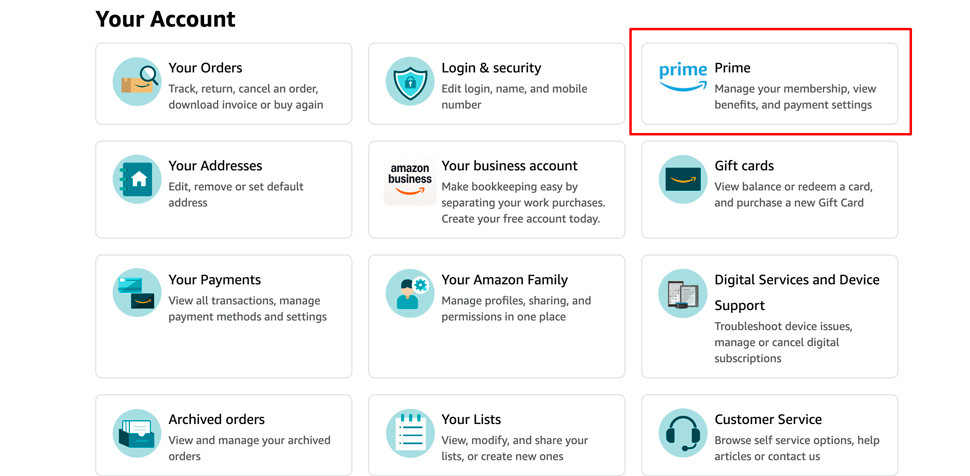
Amazon shows the cancellation and refund options available for the specific account. Do not assume a payment will be refunded, especially if Prime benefits have already been used.
How to find the best Prime Day deals
The best Prime Day deals have a verified discount on the exact product you want and still make sense after fees. Compare the current price with its price history and calculate the full purchase cost. A crossed-out list price does not prove that a product is cheaper than it was before the sale.
Is Amazon Prime Day worth it for this purchase?
- The current price is lower than the product's usual price.
- The seller, condition, model, size, color and included accessories match your choice.
- The return window leaves enough time for the order to reach the UNDbox warehouse.
- The saving still makes sense after US delivery, UNDbox services and payment fees are included.
If one answer is no, check another offer before paying.
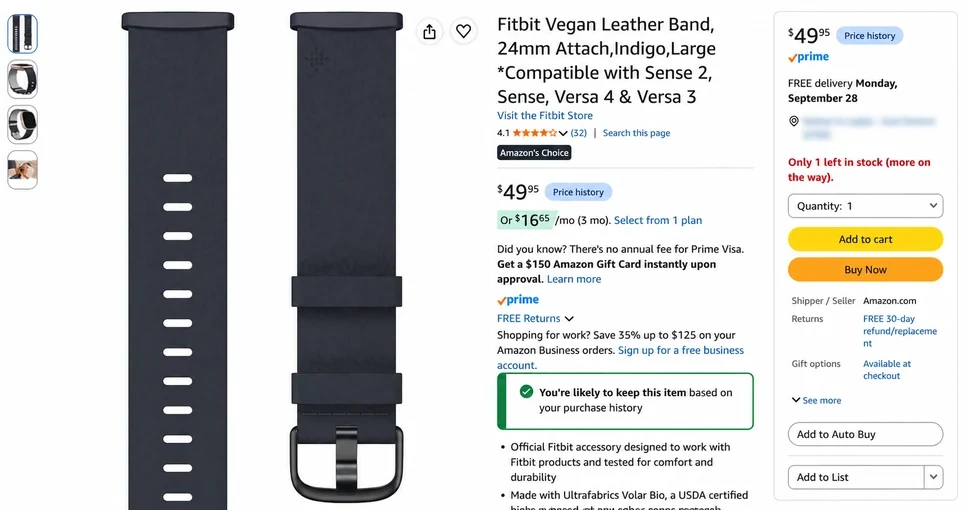
The product page below shows the fields worth checking: the price, Prime badge, Price History link, seller, delivery promise and return period.
What to check by product category
| Category | Check before paying | Why it matters |
|---|---|---|
| Electronics | Model number, voltage, plug type, accessories, warranty and battery. | A cheaper configuration may have less storage or different accessories. |
| Clothing and shoes | Brand size chart, measurements, material, condition and return window. | Returning the wrong size creates an additional expense. |
| Home products | Product dimensions, quantity, materials and package size. | A bulky package can outweigh a small product discount. |
| Beauty and personal care | Volume, ingredients, container type and UNDbox restrictions. | UNDbox cannot accept every liquid, aerosol or pressurized container. |
Amazon Prime Day tips and tricks: how to prepare
Prepare the product details, your personal UNDbox address and a payment method before the offer starts. This reduces the chance of ordering the wrong variation or losing a limited-quantity deal while checking basic information.
- Make a shortlist. Save the exact model, size, color and acceptable price for each item.
- Record the regular price. Use it as the comparison point when a Prime Day price appears.
- Check cashback. Review the rules for earning cashback on a self-order before opening Amazon.
- Choose how to buy. A self-order requires an Amazon account and a card Amazon accepts. Purchase assistance is available if you want UNDbox to place the order.
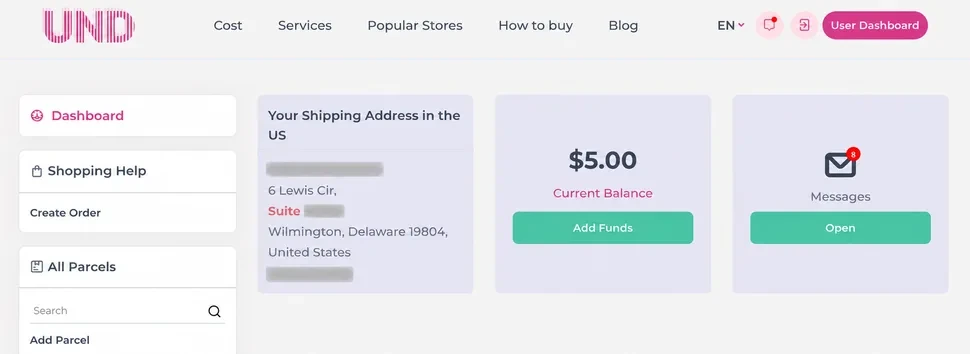
- Copy your US address. Your personal UNDbox address appears in your account after registration.
- Check the item. Confirm that UNDbox can accept the product before paying.
- Set the budget. Add US delivery and UNDbox service fees to the product price. Use the UNDbox calculator to estimate delivery from the US warehouse.
How to order from Amazon US with UNDbox
Amazon orders can be sent to the UNDbox warehouse in Delaware. Amazon accepts the UNDbox address and usually delivers eligible US orders to the warehouse within a few days. Delaware has no state sales tax, so that tax is not added when the order qualifies for delivery to the warehouse.
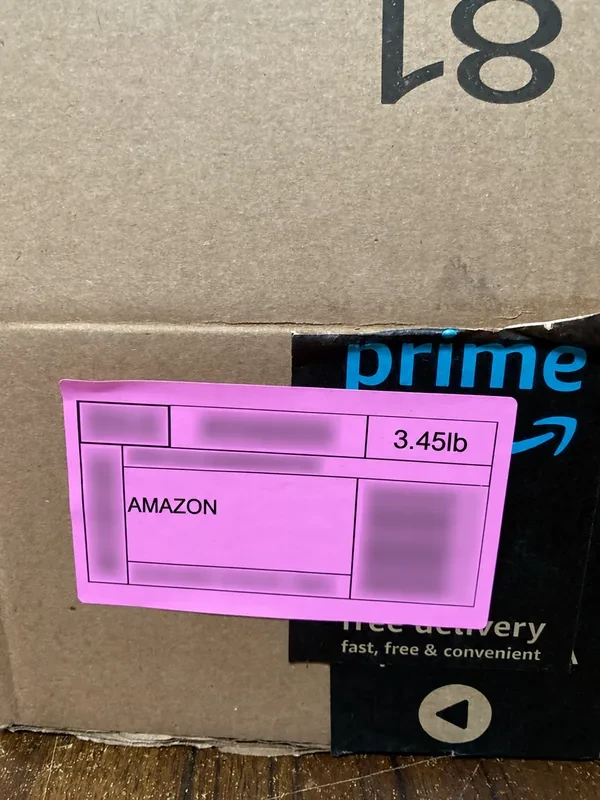
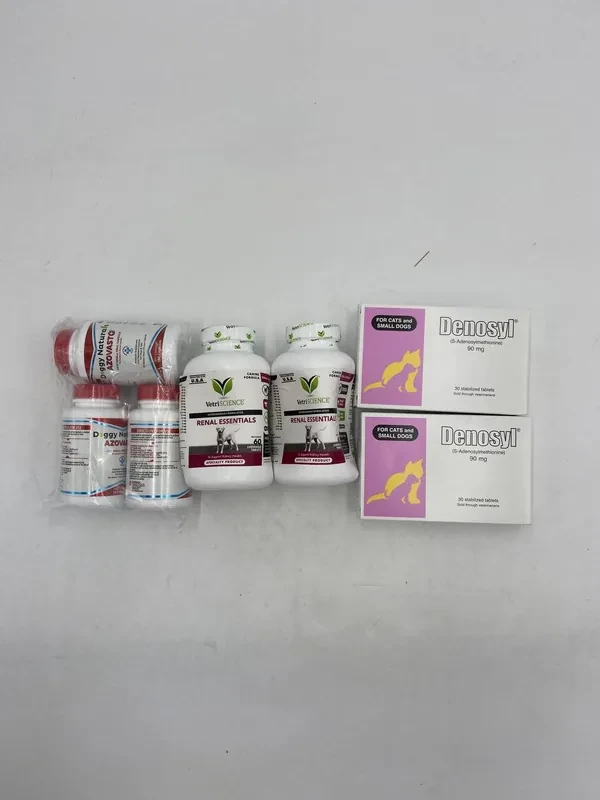
Real order received at the warehouse
The customer requested the Photo service. UNDbox photographed the Amazon box and its contents before the customer selected the next warehouse action.
Self-order or UNDbox purchase assistance
| What to compare | Self-order | UNDbox purchase assistance |
|---|---|---|
| Best for | A customer who can complete checkout and has a card accepted by Amazon. | A customer who wants UNDbox to place and pay for the Amazon order. |
| Customer provides | Shipping address, payment details and each tracking number. | Product link, exact variation, quantity and any valid promotion code. |
| Who pays Amazon | The customer. | UNDbox after the customer pays for the approved request. |
| Tracking | The customer adds every Amazon tracking number to the UNDbox account. | UNDbox adds the tracking numbers to the customer's account. |
| Purchase fee | No purchase-assistance fee. | 10% of the product price, with a $10 minimum. |
How to place a self-order
- Register with UNDbox and copy the personal US address from your account.
- Add the product to your Amazon cart and enter the UNDbox address as the Shipping Address. Copy every field, including the Suite number.
- Enter the real Billing Address linked to your card and complete the payment.
- When Amazon ships the order, copy the tracking number into your UNDbox account under Add Package.
- When the package reaches the warehouse, check its status and request any warehouse services you need.
Amazon may split one order into several packages. Each package receives a separate tracking number. Add every number to your UNDbox account so the warehouse knows which deliveries to expect.
How to use UNDbox purchase assistance
Get help placing an Amazon order if you do not want to complete Amazon checkout yourself. Send the product link and specify the model, size, color, quantity and other details that affect the purchase. Add a valid promotion code in the comment field when needed.
The purchase-assistance fee is 10% of the product price, with a $10 minimum. You can send the request to support for review or confirm that you checked it yourself. After payment, UNDbox places the order and adds the Amazon tracking numbers to your account.
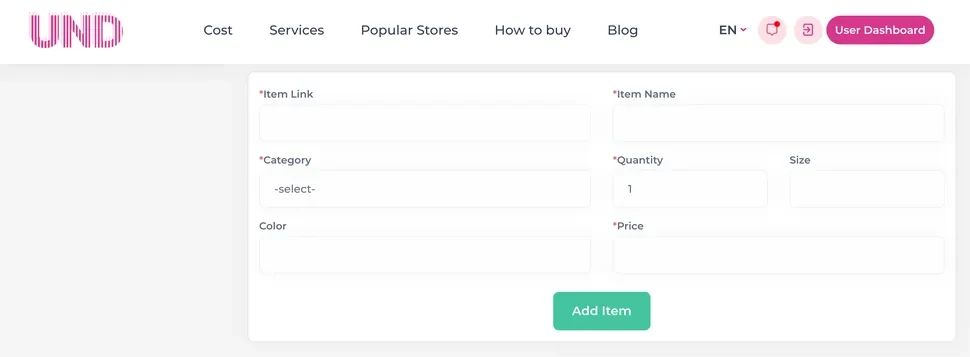
Example purchase-assistance calculation
In this example, an Amazon Fitbit band costs $49.95 and US delivery is free. Ten percent of the product price is below the UNDbox minimum, so the purchase fee is $10. The payment-system fee is $2.52.
| Charge | Amount |
|---|---|
| Product | $49.95 |
| US delivery | $0 |
| Purchase-assistance fee | $10 |
| Payment-system fee | $2.52 |
| Total for the purchase | $62.47 |
The $62.47 total includes the product, the purchase-assistance fee and the payment-system fee.
What to check before sending an Amazon order to UNDbox
Confirm that UNDbox can accept the item before you pay. Amazon delivery to a US address does not automatically mean the product is eligible for warehouse receipt and forwarding.
- Restricted category. Batteries, aerosols, perfume, liquids and pressurized containers may have special restrictions.
- Exact product. Check the model number, size, color, storage, condition and included accessories.
- Seller. Review Sold by, Ships from, seller ratings and recent feedback.
- Return window. Make sure there is enough time to request a return after the package reaches the warehouse.
- Split shipment. Be prepared for Amazon to issue several tracking numbers for one checkout.
Review the list of restricted and prohibited items. If the product category is unclear, send the product link to UNDbox support before ordering.
Frequently asked questions
Can several Amazon orders be combined at the warehouse?
Yes. Wait until the orders you need have reached the warehouse, then select the packages for consolidation in your UNDbox account.
What happens if the Amazon price changes before UNDbox buys the item?
UNDbox sends the customer the new price and asks whether to proceed. The order is not placed at the higher price without the customer's decision.
What happens if the item sells out or Amazon cancels the order?
The unused amount is returned to the customer's UNDbox balance. It can be used for another purchase request, warehouse service or delivery.
Can UNDbox check an Amazon purchase after it arrives?
Yes. Request the required warehouse service through your account after the package appears at the warehouse.