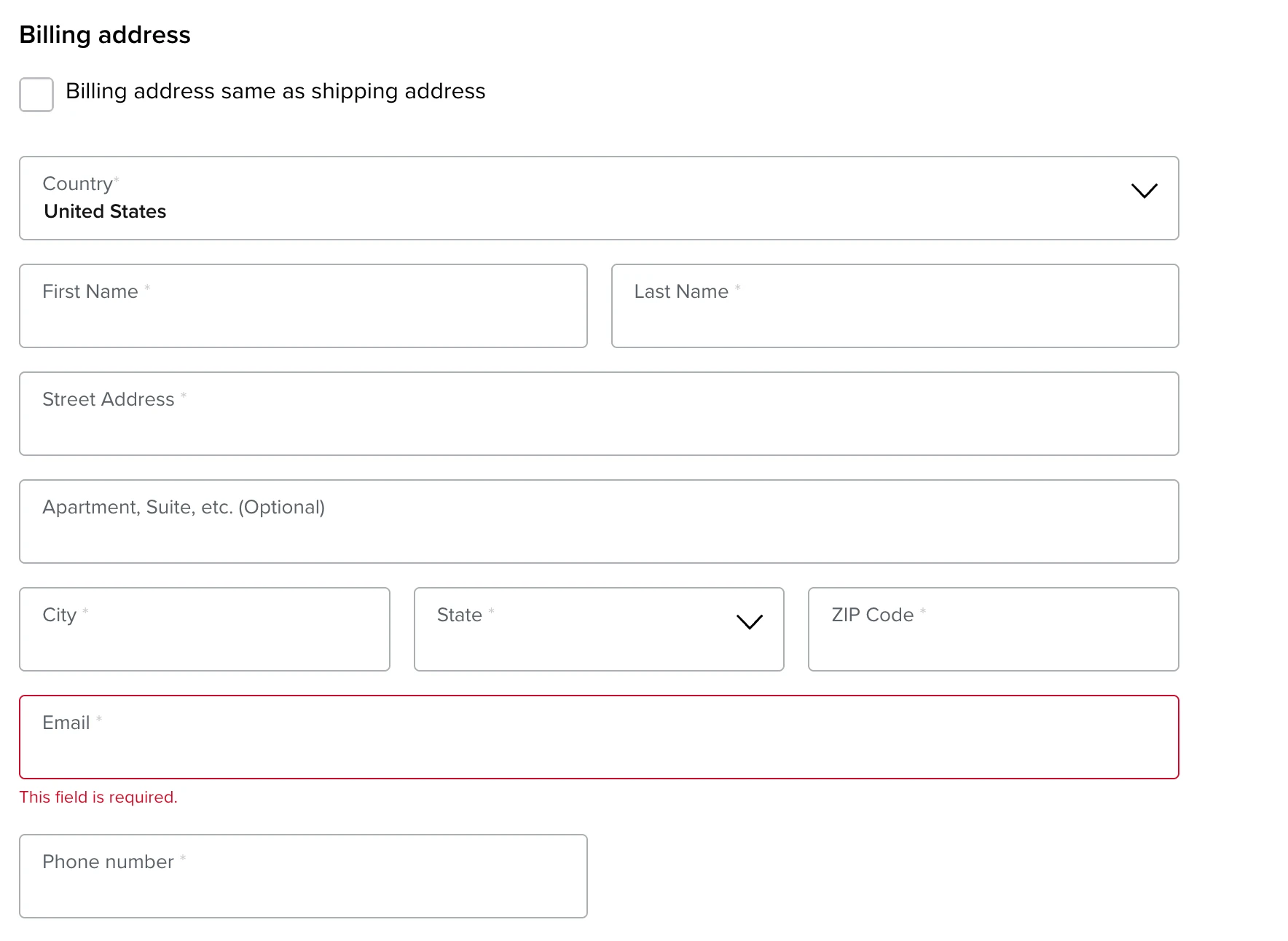
Billing address vs shipping address: enter the address recorded for your card or payment method in the billing section and the parcel's destination in the shipping section. The addresses may be different. For an UNDbox order, use your actual card address for billing and copy your personal Delaware warehouse address from your UNDbox account for shipping. A billing error can affect payment; a shipping error can affect delivery.
Quick answer
- Billing Address: use the address held by your card issuer or payment provider. Do not replace it with the warehouse address.
- Shipping Address: use the address where the parcel must be delivered.
- For UNDbox customers: copy every shipping field from your current personal account, including your personal suite.
What is a billing address?
A billing address is the address linked to the card or other payment method used for an order. It is normally the address you gave the bank, card issuer, or payment provider when opening or updating the account. It may be your registered address or current residence. It is not determined by the parcel's destination.
To find your billing address, check your banking app, card account, statement, or agreement. If the address is unavailable there, contact the issuer. Use the address currently stored by your bank, even if you have moved and have not yet updated it. Do not substitute an American state or ZIP code to satisfy a US-only form.
Billing details can be part of a payment check. An Address Verification Service may compare the submitted street number and postal code with issuer records. Availability and decision rules vary, so a mismatch may cause a decline, an additional authentication request, or manual review. Stripe explains which details may be checked in its overview of Address Verification Service.
What is a shipping address?
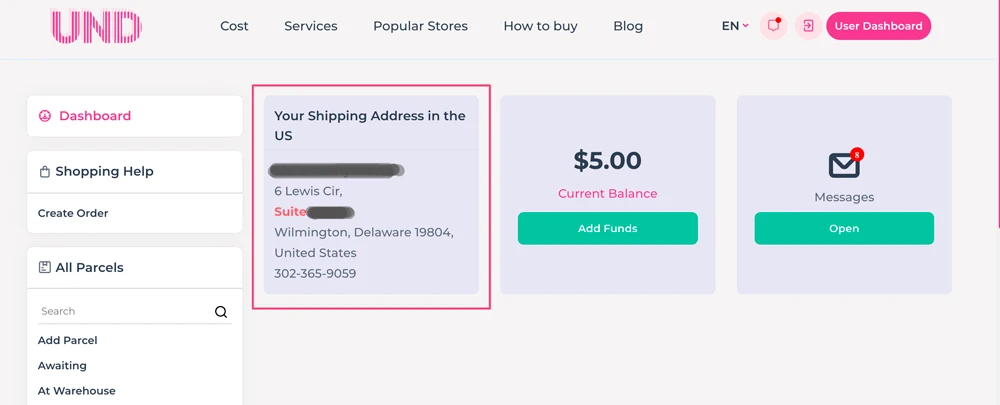
For an UNDbox order, Shipping Address is the personal Delaware warehouse address shown in your account. Enter it in the delivery section of the checkout. The retailer and carrier use these details to select an available delivery service and route the parcel to the UNDbox warehouse.
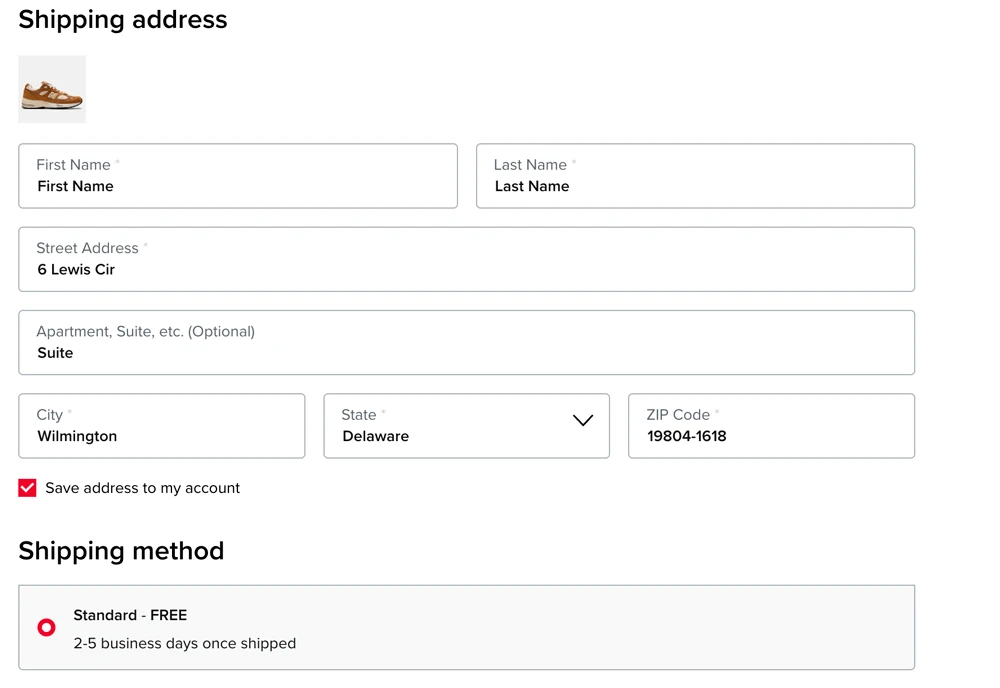
The address includes the recipient name, warehouse street, suite, city, state, ZIP code, country, and phone number. Copy each value into the matching checkout field. Address Line 1 contains the warehouse street, while Address Line 2 contains your suite.
Take the current Shipping Address directly from your UNDbox account rather than from screenshots or another customer's order. Check the completed delivery section before payment because saved browser or retailer data can replace individual fields. Use the email address you monitor for order notifications and delivery updates.
What is the difference between billing and shipping address?
The billing address identifies the address connected to the payment method. The shipping address identifies the delivery destination. Their sources differ. They can contain the same details.
| Check | Billing Address | Shipping Address |
|---|---|---|
| Purpose | Supports payment authorization and fraud checks | Directs the parcel to its destination |
| Source | Card issuer or payment account | Recipient or forwarding service |
| Checkout section | Payment or Billing Address section | Delivery or Shipping Address section |
| Address Line 2 | Flat or apartment recorded for the payment method | Personal UNDbox suite copied from the account |
| Name | Cardholder name used for payment | Recipient name displayed in the UNDbox account |
| If it is wrong | Payment may be declined or reviewed | Delivery may be delayed, returned, or misdirected |
Billing details do not tell the carrier where to deliver the parcel. Shipping details may affect available carriers, delivery price, delivery estimate, and tax calculation.
Check both sections in the final online order summary. Autofill can restore an old billing address, copy billing details into shipping, or remove Address Line 2. Correcting the wrong section after the parcel has shipped may be difficult or impossible.
What should you enter when using UNDbox?
Use two sources: your payment account for Billing Address and your UNDbox account for Shipping Address. After registration, UNDbox provides a personal address at its Delaware warehouse. Take the data from your account, not from screenshots. Refresh the account page before copying the address if it has been open in your browser for a long time.
- Check the restricted and prohibited items list before ordering batteries, aerosols, liquids, food, supplements, or other regulated goods.
- In Billing Address, enter the address associated with your card or payment method.
- In Shipping Address, copy the recipient name and address from your UNDbox account.
- Put the warehouse street in Address Line 1. Put your suite in Address Line 2.
- Copy the city, state, ZIP code, country, and phone from the account. Do not move the suite into the city, state, or ZIP field.
- Check that autofill has not replaced the UNDbox address or removed Address Line 2.
- After shipment, add the store's tracking number to your UNDbox account.
| Checkout field | Fictional Billing Address | UNDbox Shipping Address |
|---|---|---|
| Name | Your Name | Name from your UNDbox account |
| Address Line 1 | Your Street and House Number | 6 Lewis Cir |
| Address Line 2 | Your Flat or Apartment | Suite 17825 |
| City, region, postal code | Your City, Region and Postal Code | Wilmington, Delaware 19804 |
| Country | Your Country | United States |
| Phone | Your Phone Number | 302-365-9059 |
Use the address stored by your own bank for payment. Follow the full how to shop in the USA instructions when placing and registering an order.
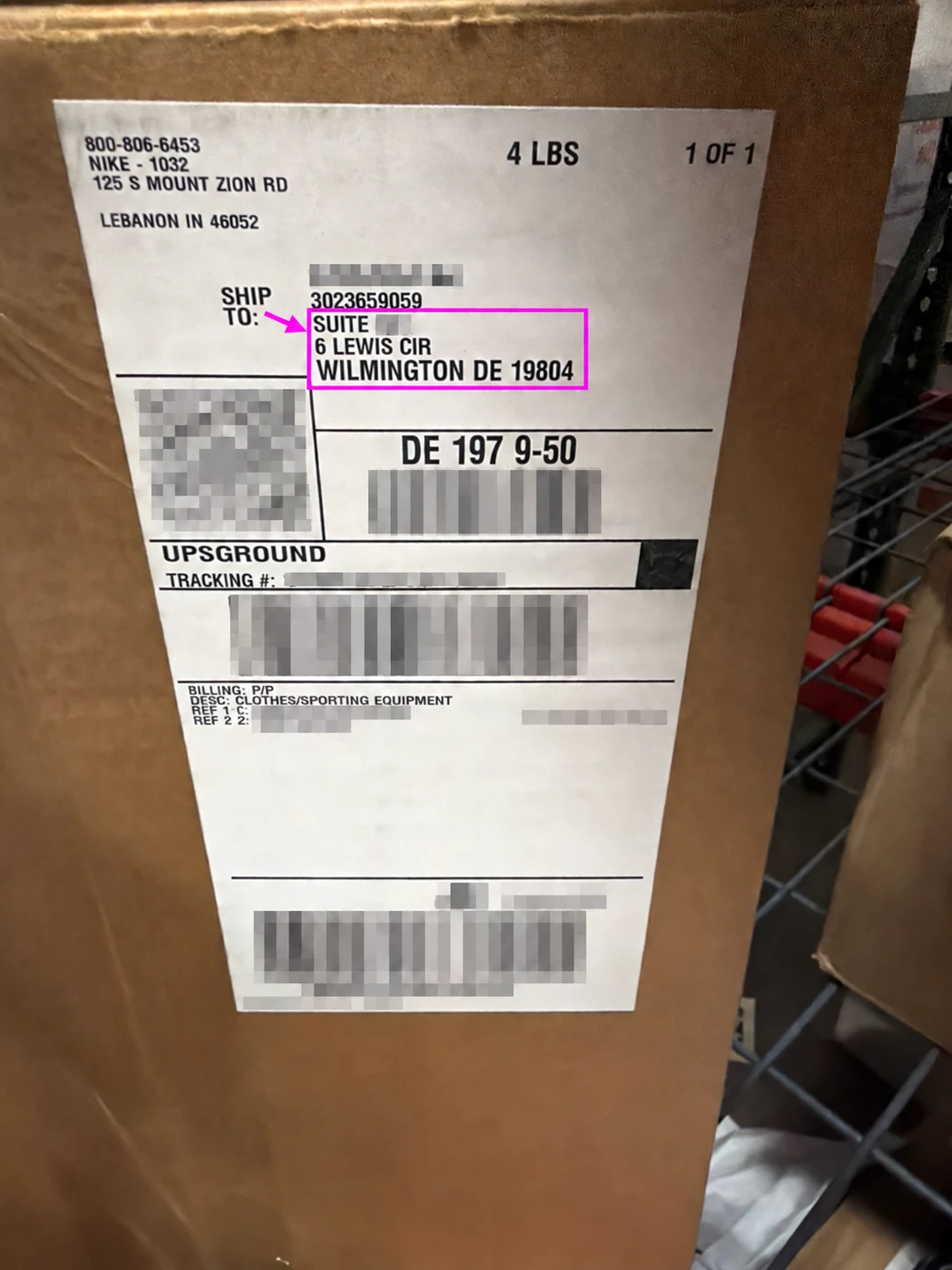
The UNDbox address on a package label. The store or carrier may abbreviate Delaware as DE, but the warehouse address and suite must remain identifiable.
Can the billing and shipping addresses be different?
Yes. Your card can be registered to your home address while the parcel is sent to the UNDbox warehouse in Delaware.
Different addresses do not guarantee acceptance or cause an automatic rejection. The result depends on the retailer's rules, the payment processor, the issuer, the order value, and other fraud signals. A store may request additional authentication, restrict foreign cards, refuse forwarding addresses, or cancel an order after review.
Select “Same as shipping” only if the retailer does not accept your real billing address.
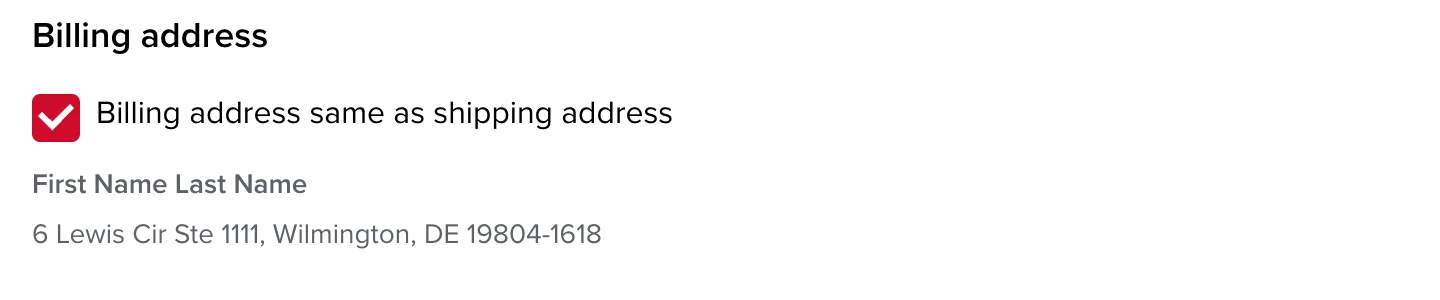
Before paying, compare both sections with their original sources. If the checkout changes the Shipping Address after validation, restore the values from your UNDbox account. The Suite 17825 shown in the example must be replaced with your own suite.
What are the most common address mistakes?
Most checkout problems come from using the wrong field, copying sample data, or accepting autofill without checking the completed order.
- Using the warehouse ZIP for billing. Billing Address needs the postal code associated with the payment method.
- Leaving out the suite. Copy your suite from the UNDbox account into Address Line 2.
- Accepting old autofill data. Check for an old home address, a previous recipient, or a saved ZIP code.
- Putting street details on the wrong line. Address Line 1 normally contains the building number and street. Address Line 2 contains an apartment, unit, or suite.
- Accepting a harmful address correction. A retailer may standardize abbreviations or add a ZIP+4 code. Accept the suggestion only if the destination and suite remain correct.
- Missing a typo. Compare names, numbers, city, state, postal code, and country with the original source before paying.
- Using a different shipping phone. Copy the phone number from the UNDbox address block into Shipping Address.
Review the saved order confirmation immediately. Corrections are easier before the retailer ships the parcel.
What should you do if the payment is declined?
Check the payment details before changing either address. Confirm the card number, expiry date, security code, cardholder name, billing street, and postal code. Open your banking app to look for an authentication request, spending limit, or restriction on international online payments. If you moved recently, verify which address the issuer currently has on file.
Do not submit the same payment repeatedly within a short period. Review the retailer's accepted payment methods and delivery rules, then contact the issuer or store if the reason remains unclear. Also check whether the store accepts cards issued in your country. Do not invent a US billing address, choose a random state, or combine your real street with the UNDbox ZIP code.
If the bank shows a pending authorization, wait for its status to update before repeating the payment. A temporary hold can remain even when the retailer did not create an order. Check the store's order history and your confirmation email first.
If the retailer does not accept your card, try selecting “Same as shipping.” If the payment still does not go through, place the order through UNDbox Shopping Help.
Frequently asked questions
What is a billing address?
A billing address is the address recorded for your card or another payment method. Enter the information held by the bank, issuer, or payment provider, not the parcel's destination. Check your banking app, account, statement, or card agreement if you do not remember it. Contact the issuer when those sources do not show the address.
What is a shipping address?
A shipping address is the destination for a physical order. It includes the recipient and location details required for delivery. For an UNDbox order, copy the personal warehouse address from your account, including the recipient name, suite, city, state, ZIP code, country, and phone number shown there.
Can my billing address be different from my shipping address?
Yes. Your card can be registered to your home address while the parcel is sent to the UNDbox warehouse in Delaware. Enter the card address in Billing Address and the warehouse address in Shipping Address. Check every field before payment.
Where can I find my billing address?
Check the address stored by your bank for the card used at checkout. It may appear in your banking app, card account, statement, or agreement. If it is not available there, contact the card issuer. Use the stored bank address rather than the delivery address or the UNDbox warehouse address.
Where should I enter my UNDbox suite?
Enter your UNDbox suite in Address Line 2 of the Shipping Address section. Copy it directly from your personal account. Do not place the suite in the city, state, or ZIP field. If the checkout combines the street and unit in one field, keep the warehouse street and suite together.
Which address should I use for an UNDbox order?
Use the address connected to your payment method as Billing Address. Use the personal Delaware warehouse address in your UNDbox account as Shipping Address. Copy every field exactly, including your suite. After the retailer ships the parcel, add its tracking number to your UNDbox account.
How do you start shopping with an UNDbox address?
Use your payment account as the source for Billing Address and your UNDbox account as the source for Shipping Address. Check every field before paying, especially Address Line 2 and ZIP code. After shipment, register the tracking number in your account and keep the order confirmation. Get your US shipping address to place orders from American stores and forward them internationally.